Efficient Time Tracking for Companies
Record working hours simply and efficiently
Whether in the office, home office, or on-site at the terminal – with Emplovia, your employees record working hours simply and reliably. For maximum transparency and efficient HR management.

Time Tracking with Emplovia
- Flexible time tracking for every situation
Record working hours digitally – in the office, home office, or directly at the terminal. Ideal for modern work models and hybrid teams.
- Intuitive operation & versatile overview
Choose between calendar or table view. Employees and HR teams maintain overview of booked times, absences, and corrections.
- Individual rules & automatic warnings
Define company-specific working time limits and break regulations. The system automatically detects violations and helps maintain compliance.
Time tracking as it should be
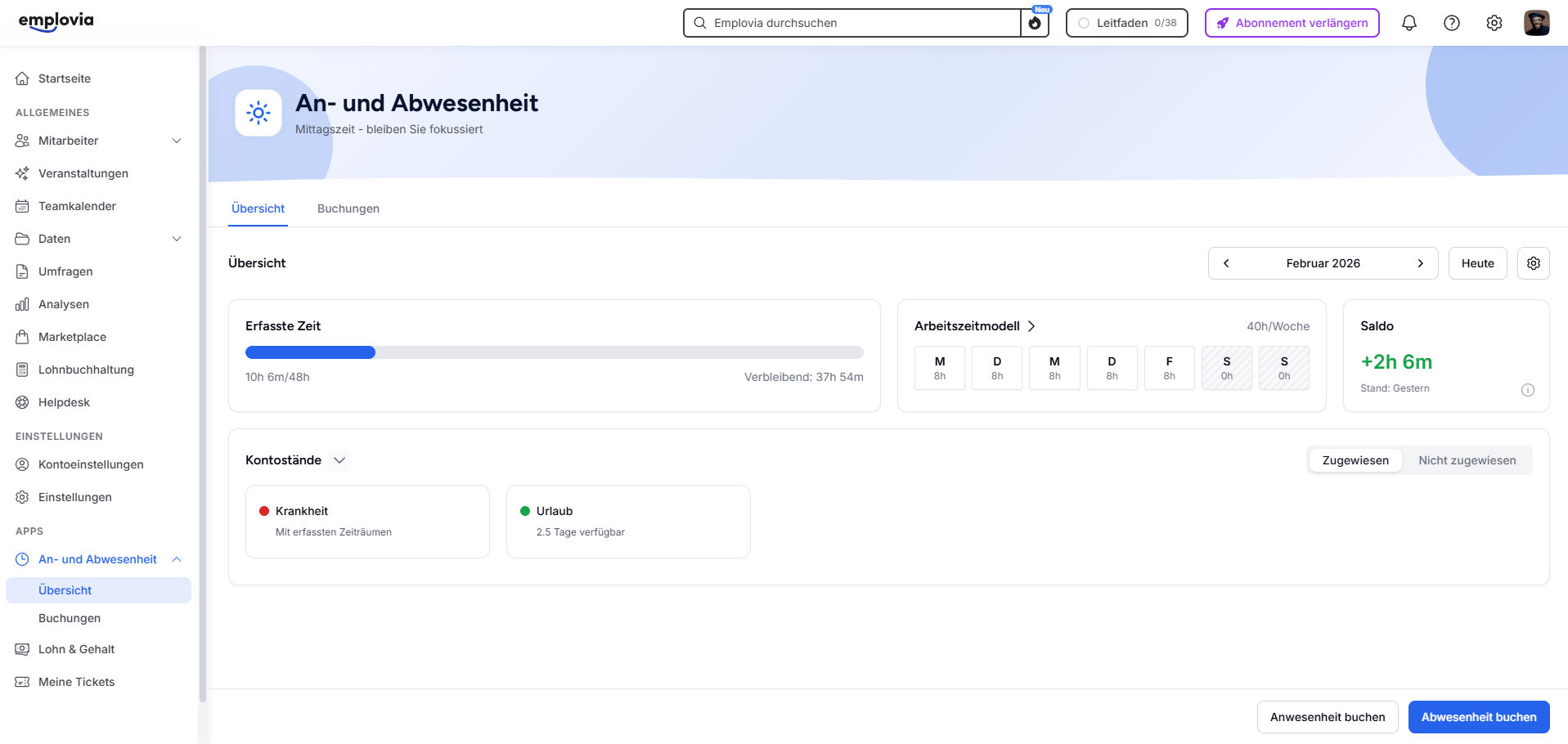
With Emplovia, employees record their times in seconds. Whether home office, project work, or break – the appropriate booking type is immediately selectable. The table view provides a clear overview of status, balance, and difference. Those who prefer can switch to calendar view at any time.
Intelligently automate approvals
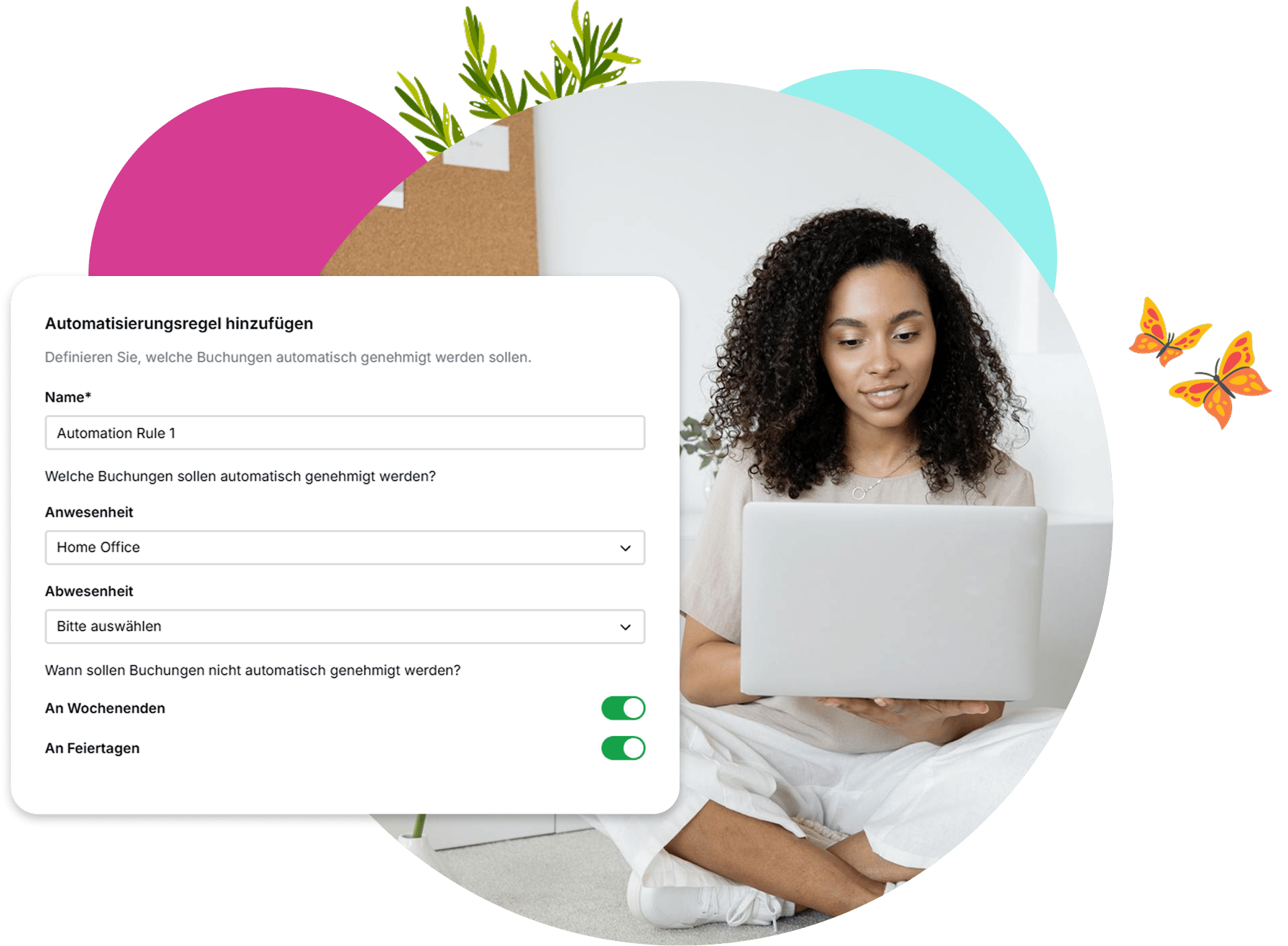
Save time and effort processing absence and attendance requests by defining individual automation rules. Specify which bookings should be automatically approved – for example, certain attendances like home office.
These rules can be specifically applied to booking identifiers and automatically take effect when employees make corresponding entries. Optionally, exceptions can be defined, e.g., that no automatic approval occurs on weekends or holidays and manual release is necessary.
This way, you maintain control, reduce inquiries, and create efficient, transparent approval processes throughout the company.
Define custom booking identifiers
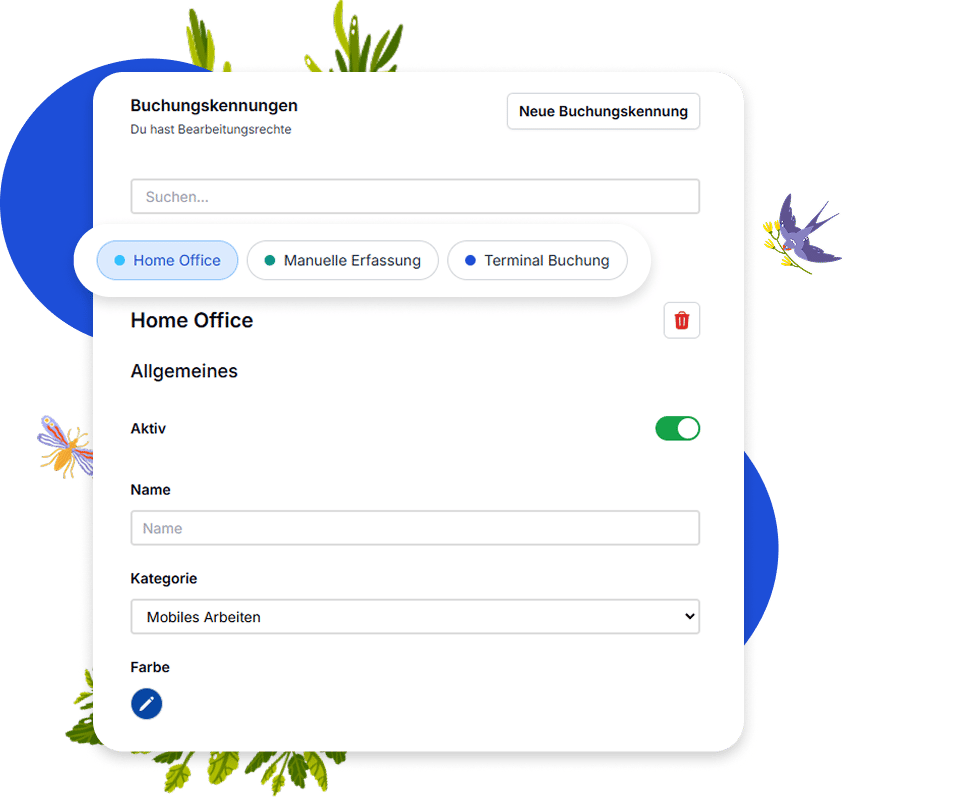
Create individual booking identifiers like home office, travel time, or manual working time – precisely matching your operational requirements.
Each identifier can be assigned to a category like mobile work or travel time and uniquely classified for internal processes. Additionally, a color can be assigned so entries in the calendar or evaluation are quickly recognizable.
Record project times immediately
With Emplovia, your employees book working hours where they occur – directly and easily on approved projects. All bookings are automatically assigned to the respective project and appear immediately in your evaluations. This way, you control effort and resources without additional lists.
Learn more about projects in Emplovia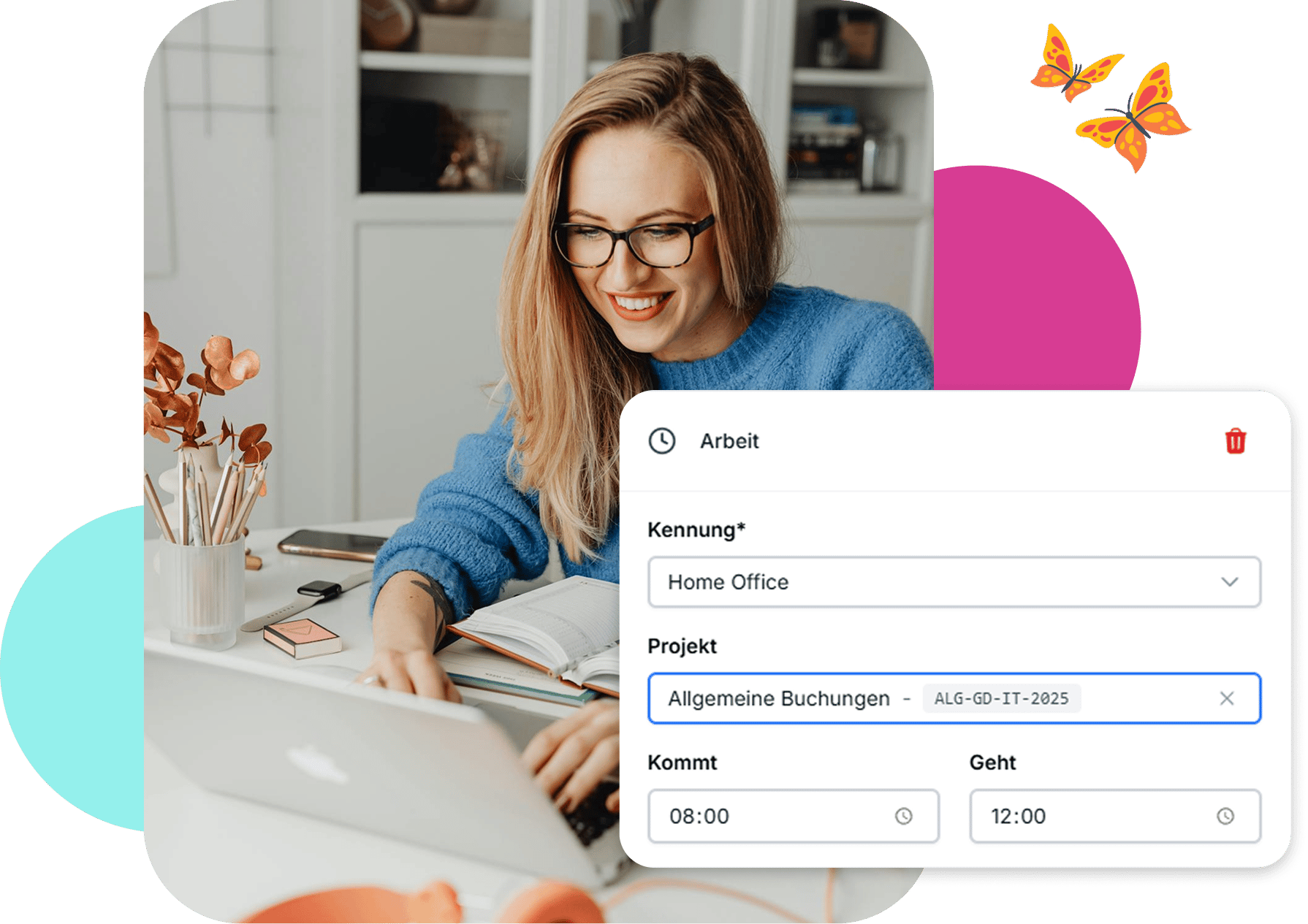
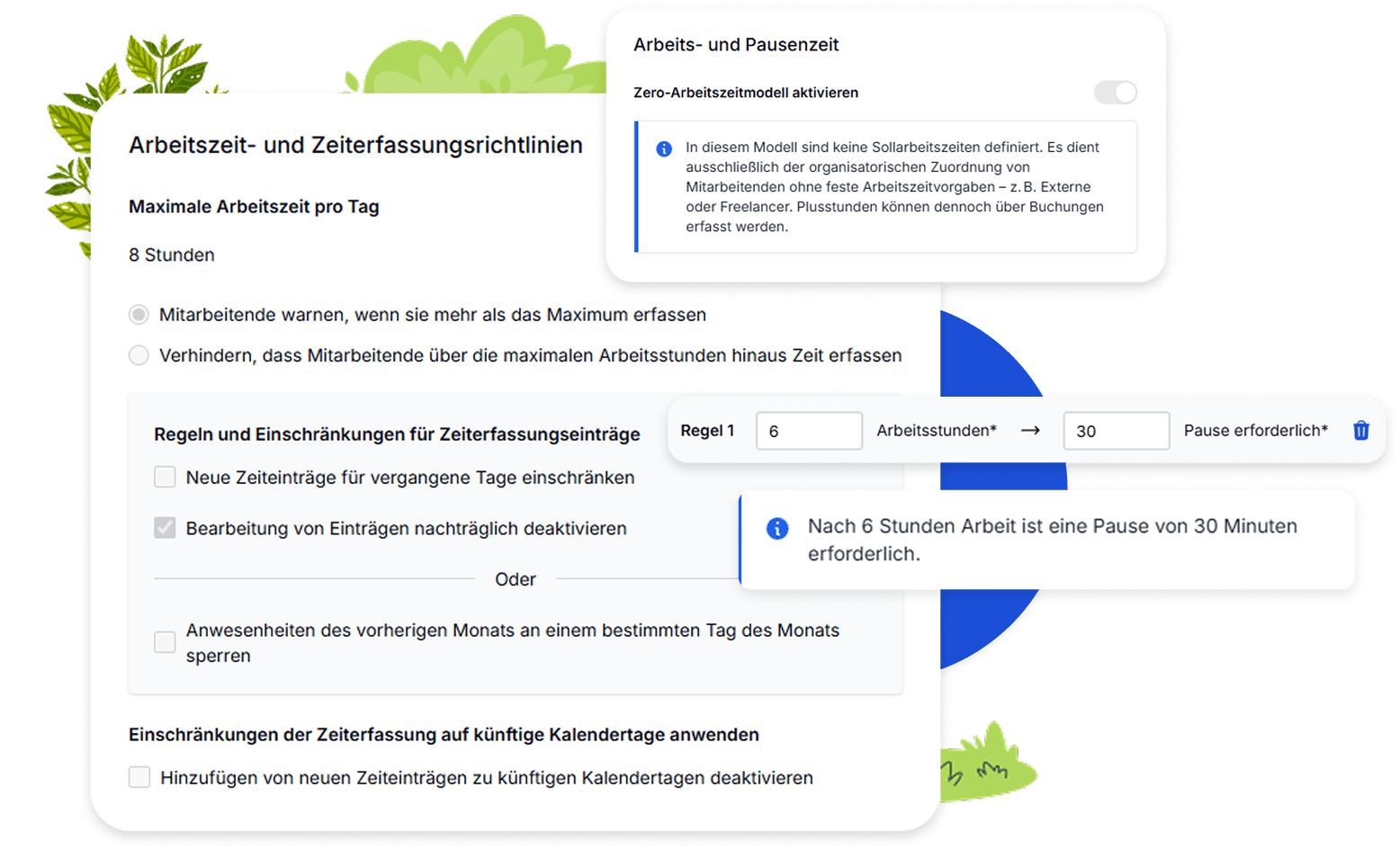
Individually control working time models
Create tailored working time models and define how many hours should be worked on which weekdays. Set daily maximum values – with optional hints or automatic blocking when exceeded.
Break regulations can also be precisely controlled: Determine when a break is mandatory and whether a warning or blocking should occur if not adhered to.
Additionally, you can define whether subsequent edits require approval or are automatically accepted. This way, you design working time regulations as clearly and dynamically as your company needs.
Frequently asked questions about time tracking
Employees record their times easily via the Emplovia platform – on desktop or mobile. Alternatively, our Terminal App is also available, allowing working hours to be booked in seconds directly at the workplace via tablet.
Booking identifiers are designations like 'Home Office' or 'Project Work' that employees select when booking. You determine which identifiers are used in your company. Only exception: 'Manual Booking' is system-defined and needed for terminal bookings. Additionally, each booking identifier is assigned a subcategory – such as 'Manual Booking' or 'Mobile Work' – for internal assignment and evaluation.
The calculation is based on the individual working time model, the employee's location (to determine valid holidays), and the attendance and absence bookings recorded in the system. This results in the personal balance – the difference between planned and actually worked hours.
Automatic approval rules can be set for each booking. For example, it can be defined that all home office bookings on working days are automatically approved – except on holidays or weekends. Multi-level approval processes are also possible if desired.
To book or view times for other people, appropriate permissions are required. Additionally, the employee must be registered as a time representative for the respective person. Time representatives can be specifically assigned – either for individual employees or automated for entire teams, departments, or based on defined prefixes of personnel numbers. This way, responsibility for time recording remains clearly regulated and well controllable.
Yes, that's easily possible. In Emplovia, attendances can be imported via an Excel template. You'll find the corresponding template in the 'Import' section and only need to fill it with the desired data – such as employee email address, start and end time, breaks, and the appropriate booking identifier. After filling out, the file can be uploaded directly – ideal for retroactive entries or larger time imports at once.