Digital Personnel File
All personnel data centrally in one place
All personnel data and documents are stored in digital personnel files and only need to be maintained here. This means: a clear database that also saves you time on other tasks.

Important functions of the digital personnel file
- Flexible access rights
Individually determine who can see or edit which areas of the personnel file – for example, for public data, personal information, or special HR data. Assignment of read and write permissions is possible per block and employee.
- Store & manage documents securely
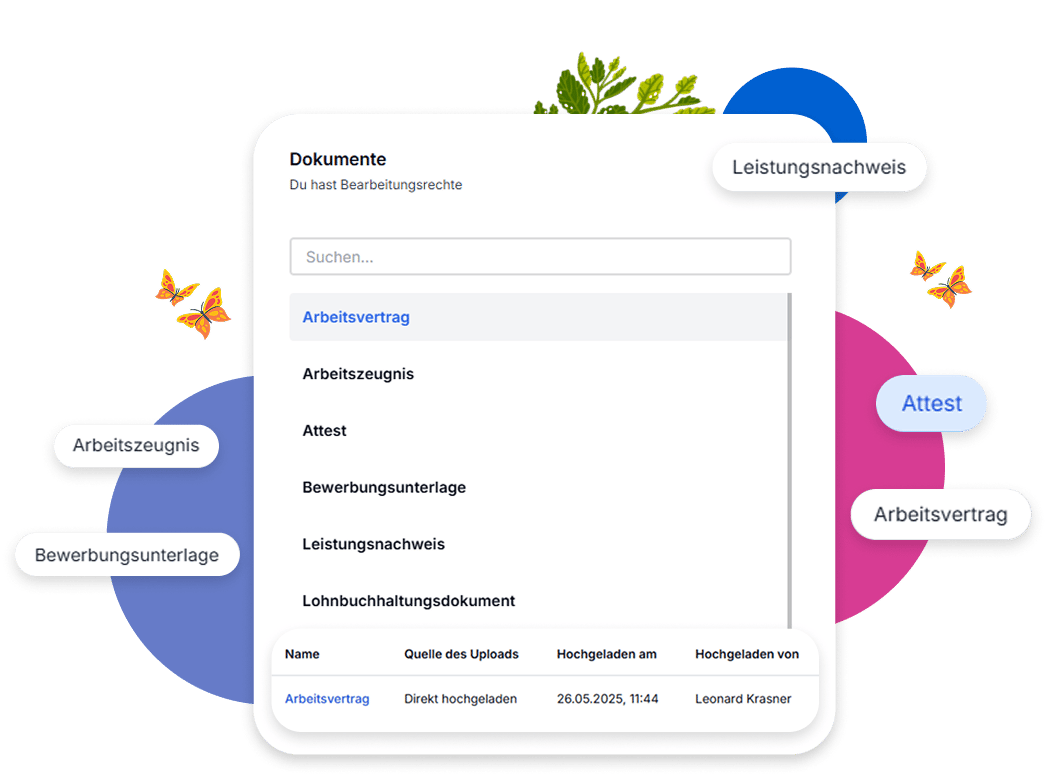
Save and categorize all relevant documents such as contracts, certificates, or attestations directly in the digital personnel file. Use document categories and specifically assign permissions for upload, visibility, and download.
- Plan future changes
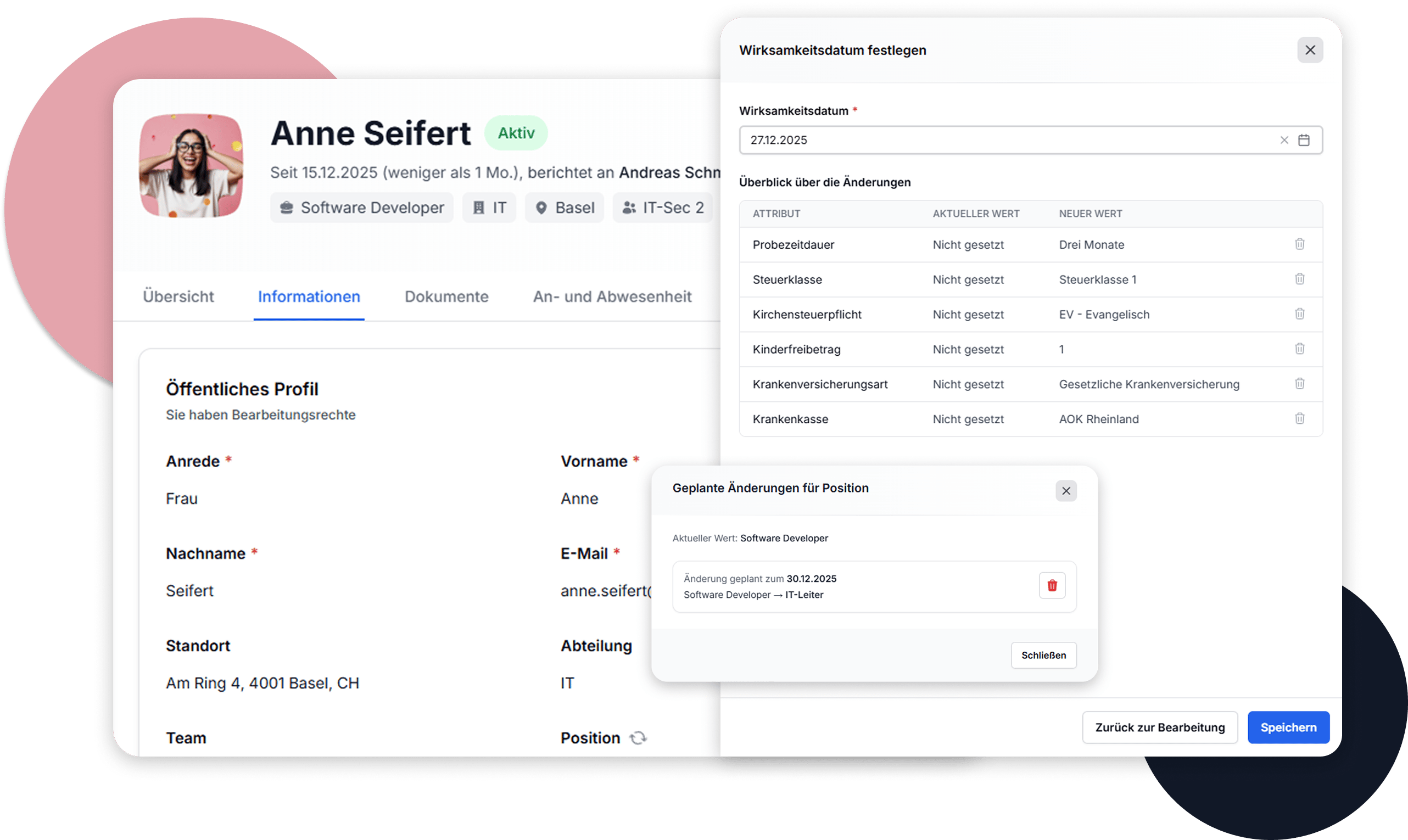
Store planned changes such as new positions or department changes in advance. With an effective date, adjustments are automatically activated at the right time – ensuring smooth processes and planning security.
Easy to edit and manage
With just a few clicks, you can conveniently update and manage all employee data. Whether contact details, department, or position – changes are immediately possible and instantly visible to authorized persons. This keeps your personnel file always current and clear.
Clear access rights and traceable data maintenance
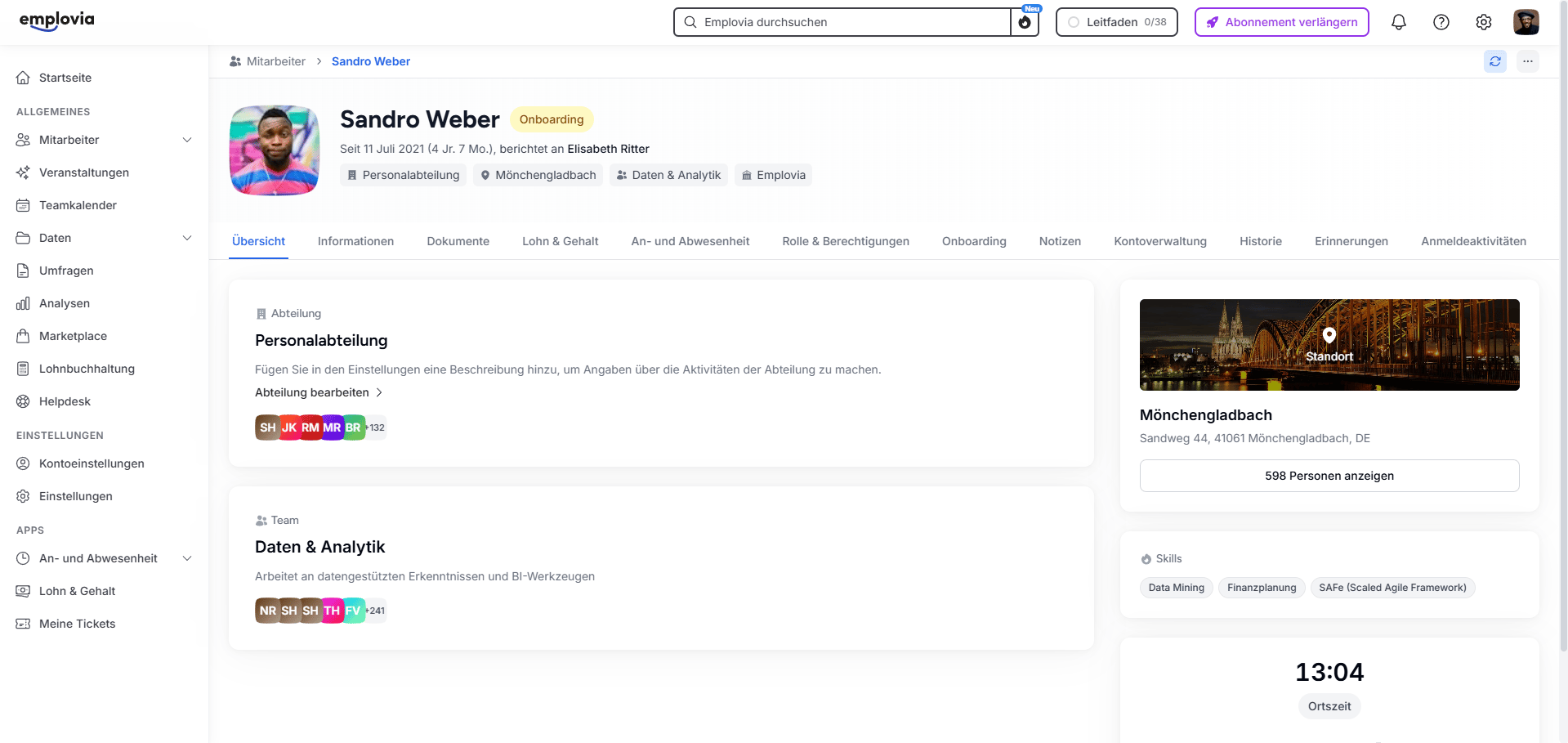
Specifically determine who can see or edit which employee data – per data area, with read or write permission. Whether personal information, salary data, or public information: All areas can be controlled individually, for example for roles like HR, manager, or employees themselves. Changes can be provided with an effective date so they only become active from a certain point in time. This way, future changes can also be planned and documented in advance. All adjustments are traceable at any time thanks to detailed change history – including change time, responsible person, and activation date. This creates maximum transparency with minimal administrative effort.
Store documents automatically, securely, and traceably
All relevant documents – whether employment contract, certificate, or personal proof – are stored directly in the digital personnel file and filed in a structured manner. Employees with appropriate permissions can upload, view, or edit their own documents. All uploads can be traced: including date, source, and uploading person.
System-generated documents such as certificates in the context of absences are also automatically archived and correctly categorized. These documents cannot be manually deleted, only when the associated absence is removed. The assigned document category automatically results from the respective absence policy.
All uploaded or generated files can be downloaded and viewed as needed. This keeps your digital personnel file complete, secure, and traceable at all times.
Customize sections and fields individually
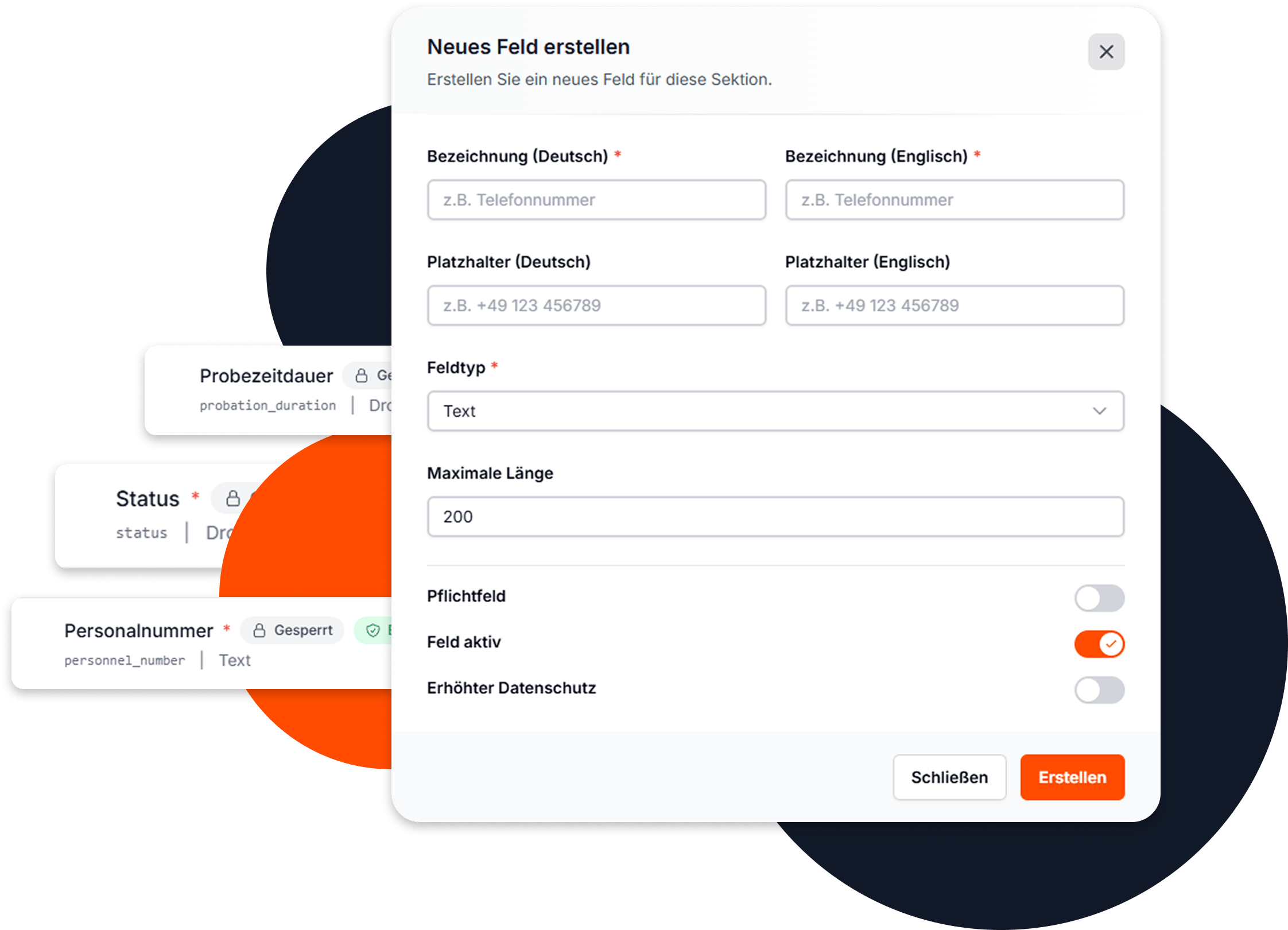
Design the digital personnel file exactly according to your requirements. Create your own sections, add individual fields, and flexibly adapt the structure to your company processes.
Define the appropriate type for each field – whether text field, date, dropdown list, or checkbox. Determine which fields are mandatory and which remain optional. This way, you capture exactly the information that is relevant to your company.
All individual customizations are seamlessly integrated into the existing permission structure. This gives you full control over who can see or edit which data – even for self-created fields.
Frequently asked questions about the digital personnel file
The digital personnel file is the central storage location for all personnel-related HR data of your employees. Instead of scattered information on paper or in different systems, you have all data bundled in one place – structured, searchable, and always available. This reduces administrative effort and ensures more transparency and overview in the HR area.
Access to personnel files is strictly role-based. Only authorized users with the appropriate role may see or edit certain areas. You can either use our standard roles or create your own roles with individual permissions. This way, you decide exactly who may view or change, for example, the bank details, personal information, or employment contract of an employee.
You can upload any documents – such as PDF, PNG, or JPG files. These include, for example, employment contracts, certificates, certificates, sick notes, or attestations. These documents can be organized by categories such as 'Contract', 'Health', or 'Other'. Employees or HR managers have – depending on permission – access to the filed files.
Yes, with Emplovia you can store future changes in advance – such as a department change, a new supervisor, or a new role. The effective date automatically controls when the new information is valid. This allows organizational changes to be planned early and implemented seamlessly.
Yes, the digital personnel file can be fully customized to your needs. You can create your own sections and add individual fields – for example, for internal identifiers, specific qualifications, or company-specific information. For each field, you choose the appropriate field type and determine whether it is a mandatory field. All self-created fields are integrated into the existing permission structure.

Didn't find what you were looking for?
Explore more features, pricing, and resources around Emplovia. You might just find exactly what you need!